 Introducing the CSD AI Launchpad
Building websites and apps with AI
Building software is no longer a technical skill. It is a matter of telling the AI what you want, clearly enough that it can do the work.
Center of Excellence in Systems Engineering · Purdue University Fort Wayne
 Learning objectives
By the end of this session, you will be able to
- Describe what an entrepreneur can build with AI today, from a website or an app prototype to the systems that run a business.
- Learn why AI is a brilliant consultant with amnesia, and how to tell it what you want and give it what it needs to do the work.
- Learn to tell AI what you want: who it is for, what it should do, what good looks like, and how we will know it works. This is managing, not coding.
- Experience how AI can be used to build workflows (systems) instead of just doing tasks.
- Tell a chatbot from a harness, such as Claude Code, which reads and writes real files, checks its own work, and keeps its memory in the folder.
- Build a real website or app in the Launchpad, get coached on your prompt, share a live link, and know how to keep going after class.
What an entrepreneur can do alone now
You can build the whole digital side of a business in a few weeks, for almost nothing
What you can build yourself
- A real website that takes orders and sign-ups.
- A real application, such as bookings, memberships, or a customer portal.
- An entire system to run the business: inventory, sales, invoicing, point of sale.
- And the thinking work around them: the marketing, the product design, the processes.
It is happening everywhere
- One person with no coding background has shipped three live software products using Claude Code.
- Founders now get a first version out in five to seven days, work that used to take a hired team two or three months.
- Eight million people build software on Lovable without writing code, and Claude Code alone is a $2.5 billion a year business.
- As Andrej Karpathy put it, the hottest new programming language is English.
Sources (2026): the Claude Code Guide for Startups at claude.com; "From Zero Code to 3 Live SaaS" on dev.to; founder playbooks from lowcode.agency and stormy.ai; Forbes and TechCrunch on Lovable.
How most people use AI today
As a chatbot: a brilliant consultant with amnesia
One task at a time
You type a question. It answers. You copy the answer somewhere, fix it up yourself, and next time you start over. That is fine for an email or a summary. It is useless for running anything.
Starting from zero, every time
It knows nothing about you, your business, or what you told it yesterday, unless that is handed to it right now. Whatever gets handed over in that moment is called the context.
The model didn't change. The context did.
An experiment: the same AI, the same afternoon, two prompts

 The first fix: say what you want
Four things every prompt needs, and it is managing, not coding
The second fix: build a system instead of doing a task
Watch a workflow get built, one turn at a time
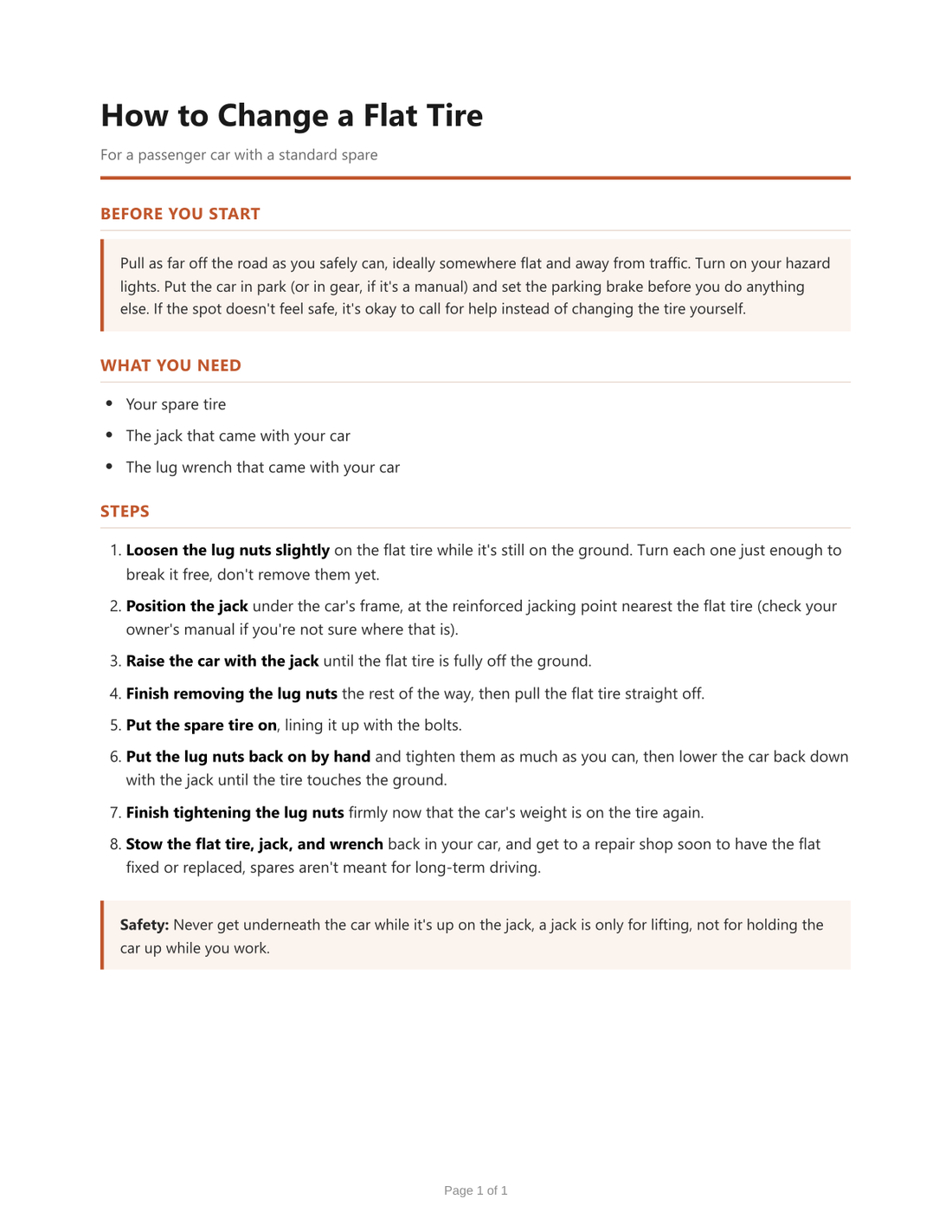
We asked a plain AI for "a document". The next slide replays that real conversation, turn by turn, exactly as it happened. Nothing has been edited or tidied up. After each turn, answer before I advance: what would we say next?
The workflow, replayed · turn 7 of 7
"Per the workflow we set up, a few quick questions so I don't invent anything. Should it cover just a standard spare, or run-flats and cars with no spare? Torque values and tire pressures vary by car, so are you fine with generic guidance rather than made-up figures? Who is it for and what tone? Same one-page style, or should there be a safety section at the top? Anything to leave out?"
 What you just watched has a name: a harness
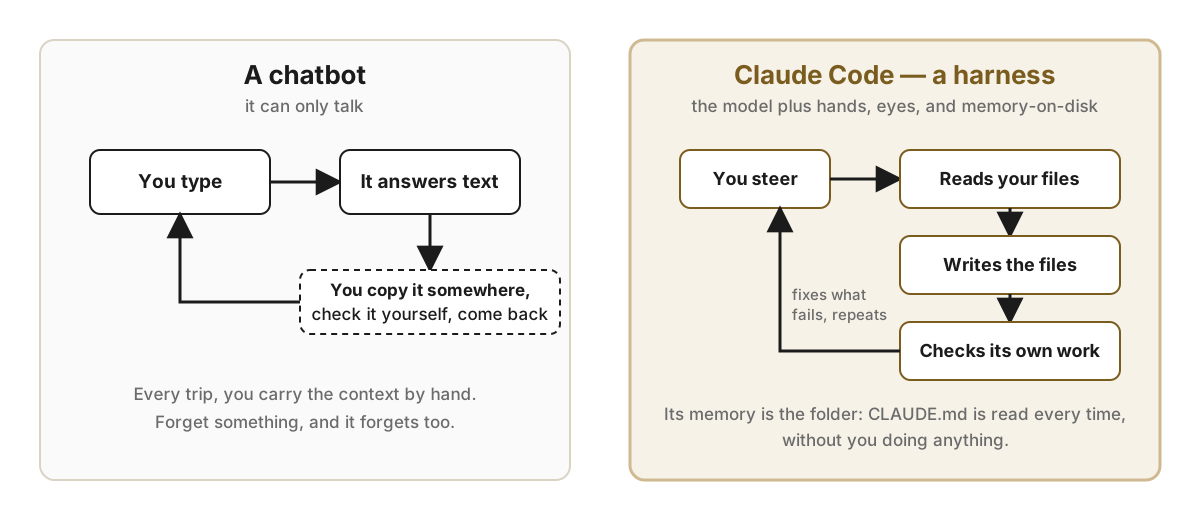 Reach is what closes the loop
What the harness packages and sends on every single call
The model didn't change. The context did.
The same pattern, with a different folder
This works for more than websites
- Marketing. The folder holds your brand voice, your customers, and every post you have approved. The AI drafts the next one in your voice and checks it against your rules.
- Business coaching. The folder holds your plan, your numbers, and last week's review. Every Monday you ask what to focus on, and it answers from your actual situation.
- Tech support. The folder holds your product docs and past answers. It drafts replies to customers, and you approve them before they go out.
- App design. The folder holds who your users are, what they need to do, and screens you admire. It sketches the screens and builds a clickable prototype.
- Market research. The folder holds your questions and your sources. It summarizes with citations, and the next session picks up where you left off.
Live: write a request, let the Coach review it, improve it together, then build it
Checking the demo account…
What you'd probably get:
What would you add? The Coach asks:
It's live. Open it on your phone.
Let's build one right now
This slide runs live in the web viewer at csd-launchpad.sysdesign.org/lecture/v2/#13. We type a plain request and ask the Coach to review it. The room decides what to add, we update the request, and the AI builds it, checks its own work and deploys it, on screen, in a minute or two. Then everyone opens the real link on their phone.
Now watch. This video was made by AI.
The video plays on the slide at csd-launchpad.sysdesign.org/lecture/v2/#14
The script, the voice, the visuals and the editing were all done by AI, with no crew and no studio. Now that you know how this works, ask yourself what someone had to tell the AI to get this, and what you would have to tell it to get yours.
Your turn, for the next twenty minutes
AI Launchpad
- Go to csd-launchpad.sysdesign.org and create an account. The class code is on the board.
- Pitch it. Start with "Build me a website…" or "Build me an app…", describe your idea, then ask the Coach. It tells you what's missing. Add what you can, or accept it as is and move on.
- Write one rule. Finish the sentence "The builder must always…"
- Build the first version. Ask for the home page, and read what the Coach predicts before you build.
- Open your live link and text it to someone.

If you don't have a business idea yet, borrow one: a campus coffee cart, a dog-walking service, tutoring, or a vintage clothing stall.
Report out, five minutes
Three volunteers, one minute each
- Show us your link on the screen.
- What did the Coach catch that you had left out?
- What did the Builder get wrong, and what would you tell it next?
The people who get great results from AI aren't better with computers. They are better at saying what they want.
Where you go from here
Take it further, if you want to
- Download your source code from Launchpad. Inside is a CLAUDE.md with your brief, your rules and the four habits. It is your project's memory.
- Sign up at claude.ai. It is free to start. Paste your CLAUDE.md in and keep refining.
- Try Claude Code, about $20 a month. Open a terminal in your folder, type
claude, and it picks up exactly where class left off. - Put it online. A website can go on GitHub Pages for free, at a github.io address. An app can run on fly.io for about $1 to $3 a month, because it sleeps when nobody is using it. Your own domain name from Porkbun is about $12 a year. Then send the link to three real customers.
Other harnesses, as of fall 2026: Codex CLI, Gemini CLI, Cursor, GitHub Copilot, and in the browser Lovable, Replit and Bolt. Names and prices change monthly. The four habits work in every one of them.